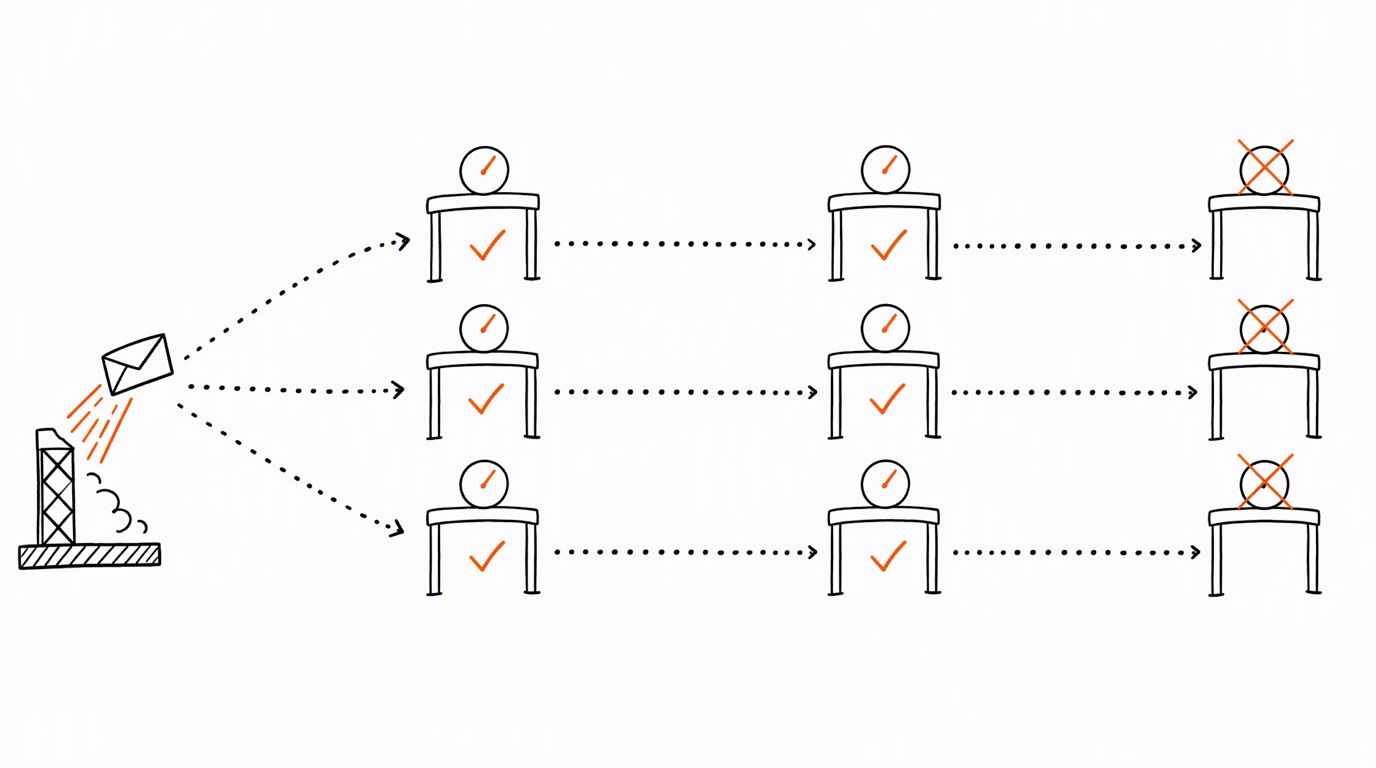
A multi-destination conversion test checks one business scenario through separate requests to the selected destinations. Keep a receipt for each request. Your sender records the attempt, the API returns a response, and the destination's diagnostics or reports show later observations. Those records answer different questions. Independent manual requests do not validate an automatic router's fan-out.
This guide fixes the order of those claims, compares what three documented Conversions APIs say about acceptance, and ends with a receipt template you can fill once per destination. Nothing here decides attribution, and a green counter is not a reason to open production traffic.
Why a multi-destination conversion test needs three verdicts
Pixel Activator provides a manual test flow: choose a platform, enter its credentials, send up to five events, and inspect the response and the destination dashboard. Its public page states that the token is not stored or logged by the service's server. That statement concerns the token; it does not establish a general policy for event logs or response retention.
Keep your own sanitized receipt for each run. Record the request, response and test mode before checking the destination. An endpoint response and a visible event are separate observations, and the effect of a test flag depends on the platform.
N manual runs provide N separate test attempts. For each destination, establish sending from the request log, acceptance from the processing result in the linked API response, and recording from an event record in the appropriate destination view. If the selected mode does not save events, mark the recording check as not applicable. The run count alone does not prove delivery. They do not test fan-out itself: an event that a router copies into several destinations, one dedup key shared across them, and the partial failure of a single branch are properties of a router, and they are read at the router's own receipts, which is the subject of CRM to ad platform architecture. The conclusion for each destination is limited to its saved request, linked response and destination check interpreted for the selected test mode. Those records do not show how an automatic copy of the event would be produced or retried.
| Level | Who observes it | Artifact | What it cannot prove |
|---|---|---|---|
| Sent | Sender | Outbound request record | Receiver acceptance |
| Accepted | Destination API | Response tied to the request | Matching or attribution |
| Recorded | Destination diagnostics or reporting | Event record in the named view | Attribution unless that view explicitly reports it |
What each destination documents about acceptance
Read each destination's rules separately: Meta Conversions API, OpenAI Ads Conversions API and Snap Conversions API use different validation and test behavior.
Meta gives a general event_time limit of seven days. An older timestamp causes an error for the whole request, with no events processed. The same guide separately says to upload offline and physical-store transactions with action_source: physical_store within 62 days of conversion; retain that qualification when checking this source type. For another documented invalid-event case, the request returns an error but valid events with event_id are still accepted. The guide describes correcting invalid events and retrying the batch, with already stored events dropped as duplicates. This is the documented Meta case, not a rule for every error or API.
You see the number of raw, matched and attributed events we received.
These are separate observations in Events Manager. Meta's guidance to verify events within 20 minutes is not a delivery SLA. Events with test_event_code enter Events Manager and are used for targeting and ads measurement; remove the code from production payloads.
OpenAI's validate_only: true validates without saving events. Its API documents that one failed event causes the full batch to fail. Reuse an event's id when retrying or sending the same conversion through another integration. timestamp_ms must be within the last seven days and no more than ten minutes in the future. Those rules do not establish a retention period or prove attribution, and validation alone does not prove persistence.
Snap's POST /v2/conversion/validate sends test events that do not count as production data. Its response identifies validated fields, warnings and errors that would prevent production processing. Test logs use VALID, INVALID or VALID_WITH_WARNINGS; those statuses describe request validity, not production attribution. The reference separately distinguishes error 005 (all records failed) from 006 (some records could not be processed). Interpret the actual code and record details rather than assigning one outcome to every Snap error.
| Destination | Record in the receipt | Limit of the observation |
|---|---|---|
| Meta | Request, event IDs, response and Events Manager observations | Batch errors have distinct documented effects; acceptance is not attribution |
| OpenAI Ads | Request with its validate_only value and response | Validation-only mode does not save events |
| Snapchat | Endpoint, response, test-log status and record errors | Test validity is not production counting or attribution |
Record the actual mode for each run. Check persistence, monitoring and attribution only where that mode makes the observation meaningful; an empty view alone does not explain what happened.
Running the acceptance test step by step
Use the same business scenario across destinations, with a separate receipt for each request.
- Choose the scenario and record whether the data is synthetic or represents a real event. Synthetic data can test shape and handling; it does not establish attribution.
- Run each destination separately. Pixel Activator permits up to five events per send.
- Confirm the destination account and authorized credentials. The Meta CAPI walkthrough covers one platform's setup.
- Record the exact test mode and its documented effects. Meta test events can be used for targeting and measurement; OpenAI validation-only requests do not save events.
- Save a sanitized copy of the request and response, including errors for individual events where available.
- Check the destination view appropriate to that mode. Meta Test Events validation explains the Meta workflow.
- Mark each observation as confirmed, rejected, pending or not applicable. Keep acceptance, storage and attribution separate.
Use this receipt outline once per destination; it is an audit record, not an API payload.
business_scenario = <scenario and synthetic/real status>
destination      = <platform and masked account reference>
request          = <sanitized request reference>
mode             = <actual flag or endpoint>
response         = <sanitized response reference and per-event errors>
sent             = <evidence or unknown>
accepted         = <evidence or unknown>
recorded         = <view, observation time, result or not applicable>
attribution      = <not tested unless separately evidenced>
fan_out          = <not tested by these independent requests>
Symptom, evidence, next test
| Symptom | Evidence to collect | Next test |
|---|---|---|
| Request fails | Sanitized request and raw response | Check the reported error against that destination's documentation |
| Accepted request, no visible record | Request mode, response and time of observation | Determine whether storage is expected before resending |
| Batch returns an error | Per-event details and IDs | Identify the error path and accepted subset before retrying |
| One event appears twice | Source event and destination-specific IDs | Review event id deduplication for that platform |
| Purchase value is one dollar | The test request | Verify value mapping in the real sender; Pixel's purchase example uses 1 USD |
Keep retry design separate from this manual check; see server-side retries and idempotency. Interpret errors through the CAPI error reference and the destination's documentation.
An API response concerns the submitted request. Match it to the event and test mode before treating it as evidence of saved data or attribution.
What a passed multi-destination conversion test does not prove
Pixel's public page says events such as Purchase use a value of 1 USD. A test with that value does not verify the amount or currency sent by your production integration. Check that mapping separately, including when using ChatGPT Ads with Pixel Activator.
A manual request also does not test browser/server deduplication. That requires the corresponding events and the destination's own identifiers, as explained for Meta in browser and server event deduplication.
Treat storage, matching and attribution as separate observations. A test response cannot establish that an automatic router will copy, retry or deliver later production events. The Conversions API request is only one part of that path.
Need to interpret a test response?
Share the destination, test mode and a sanitized response. The first consultation is free.
Do not send tokens or passwords.
Sources
Sources
Way2 services